

how to download name change gazette notification
How To Download Name Change Gazette Notification- Yourdoorstep
Hi fiends if you already applied for name change in Gazette and not aware what to do next and how to download Gazzette. We are gonna teach you how to download your Name Change Gazette Notification to change/update your New Name in all the Documents.
Follow these Steps to download your Name Change Gazette Notification –
Steps to download your Name Change Gazette Notification –
STEP 1 – Open the Website http://www.egazette.nic.in
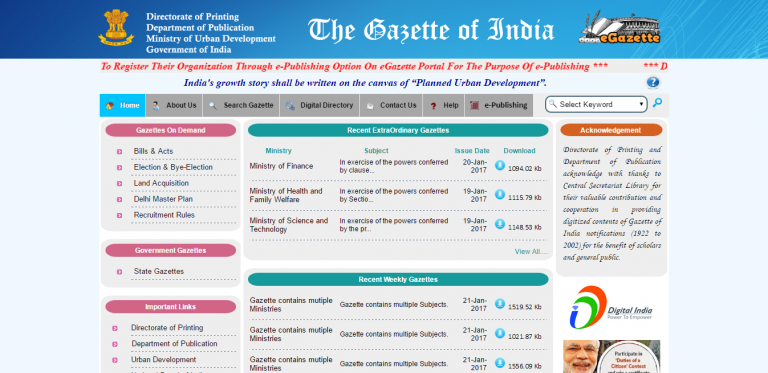
STEP 2 – Need to find and Select the Search Gazette.
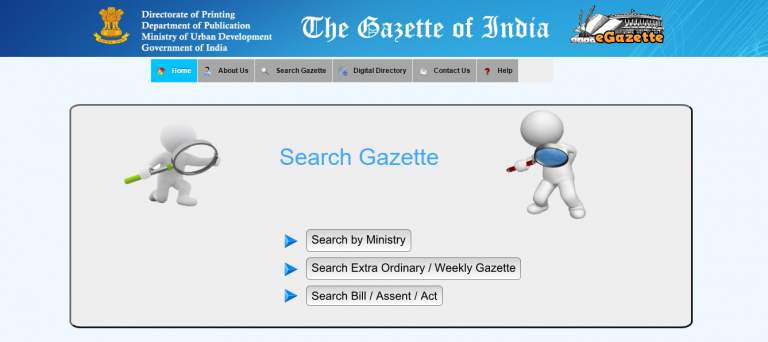
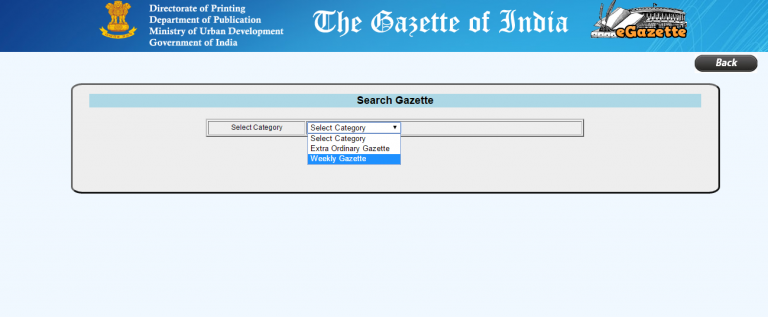
STEP 3 – After that Click on Search Extra Ordinary/Weekly Gazette and Category as “Weekly Gazette”.
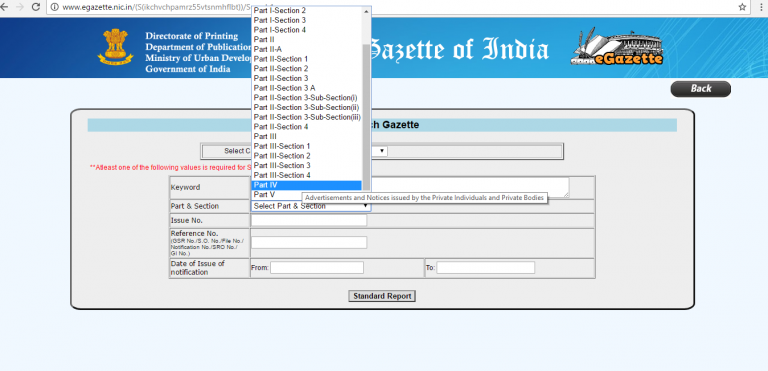
STEP 4 – Select the part as Part IV in Part.
STEP 5 – Next step -In Ist Calendar (Dates of Saturday) to IInd Calendar (Dates of Saturday). Select the assumed dates in which your notification suppose to be published.
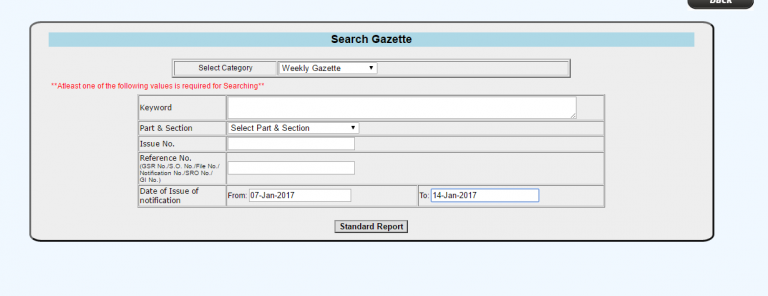
STEP 6 – Next step need to Click on the Standard Report button which will provide the link to download your Gazette Notification and download the requisite pdf file.
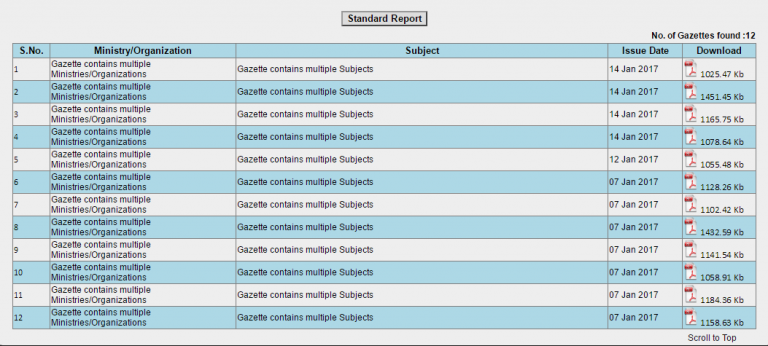
STEP 7 – Press Control Key + F Key to find your Name (Old and New) and Finally Download the whole Gazette as your Own Copy.
To Know More OR to get your Name Changed with our assistance, Kindly Move to our Web page to book service– https://yourdoorstep.co/name-change-online.html
Your Welcome !
 ✍️
✍️Written by
Vipin
Content Author at YourDoorStep
My name is Vipin Chauhan, and I have a B.Tech, LLB, MBA Dropout, and a Diploma in Cyber Cell on going. I am the founder of "Your Door Step," a company focused on making service delivery simple and convenient for everyone. With my background in technology, law, management, and cybersecurity, I combine my skills to find smart solutions, drive innovation, and create value. I am passionate about solving problems and helping people through my work.